
What You'll Learn at This Station
HAP's Discovery: I used to think if statements only worked with true and false. Then I learned JavaScript evaluates any value as truthy or falsy. Once I memorized the 6 falsy values, I could predict exactly how my if statements would behave!
The Falsy Six
6
JavaScript has exactly 6 falsy values. Memorize them and you'll never be confused by if statements again.
Everything Else Is Truthy
If it's not one of the 6 falsy values, it's truthy. Yes, even "false" (the string) and [] (empty array)!
Boolean Context
if ( )
When JavaScript needs a true/false answer (like in an if statement), it converts any value to truthy or falsy.
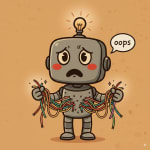
HAP's Confession:
- I wrote
if (nickname === true)instead ofif (nickname)— Prof. Teeters showed me JavaScript checks truthiness automatically! - I thought
0meant "no backup battery" but didn't realize JavaScript sees0as falsy too — my warning message never showed! - I tested
"false"(the string) and was shocked it's truthy — the word "false" isn't the same as the valuefalse. - I mixed up
nullandundefined— they're both falsy but mean different things.
The Six Falsy Values
Prof. Teeters had me write these on a sticky note and put it on my monitor. Once I memorized them, everything clicked. Here are the only 6 values JavaScript treats as falsy:
false
The boolean false — the most obvious falsy value. When you explicitly write false, JavaScript knows you mean it.
0
Zero is falsy! This tripped me up with backupBattery = 0. JavaScript sees zero as "nothing meaningful."
"" (empty string)
An empty string exists but contains nothing. My nickname = "" was falsy because there's no name there.
null
Intentionally empty — you're saying "this has no value on purpose." My secondaryMission = null is falsy.
undefined
Not yet assigned a value. If you declare a variable but don't assign it, it's undefined and falsy.
NaN
"Not a Number" — what you get from invalid math like 0/0 or parseInt("hello"). It's falsy.
🟠 HAP's Memory Trick:
I remember them as: False, Zero, Empty string, Null, Undefined, NaN. That's "F-ZEN-UN" — like a confused robot achieving zen! (Okay, it's not a perfect acronym, but it works for me.)
🎬 Watch: The Six Falsy Values
View Transcript
HAP: JavaScript has exactly six falsy values. Let's meet them. We have FALSE, zero, empty string, null, undefined, and one funny name, NaN, which means not a number. Everything else in JavaScript is truthy. So watch out for these impostors.
The string false, the string zero, empty arrays, and empty objects. They look falsy, but they're actually truthy. When you use a value in an if statement, JavaScript checks, is it one of the six? If yes, it's falsy. If not, it's truthy.
Six falsy values. Everything else is truthy. Now you're in on the secret.
My Robot ID Card Falsy Variables
Remember my Robot ID Card from JS Foundations? I added three new variables specifically to understand falsy values. Each one represents a different type of "empty" or "nothing":
// NEW variables for understanding falsy values
let nickname = "";              // Falsy - empty string (I don't have a nickname yet)
let backupBattery = 0;          // Falsy - zero (no backup power)
let secondaryMission = null; // Falsy - null (intentionally no mission assigned)Each of these variables holds a different falsy value, but they all behave the same way in an if statement — the code inside won't run.
Here's what happens when I test them:
// Testing nickname (empty string)
if (nickname) {
    console.log("Call me " + nickname + "!");
} else {
    console.log("I don't have a nickname yet.");
}
// Output: "I don't have a nickname yet."

// Testing backupBattery (zero)
if (backupBattery) {
    console.log("Backup power: " + backupBattery + "%");
} else {
    console.log("No backup power available.");
}
// Output: "No backup power available."

// Testing secondaryMission (null)
if (secondaryMission) {
    console.log("Secondary mission: " + secondaryMission);
} else {
    console.log("No secondary mission assigned.");
}
// Output: "No secondary mission assigned."Truthy Gotchas That Surprised Me
Once I learned the 6 falsy values, I thought I had it figured out. Then Prof. Teeters showed me some values that look falsy but are actually truthy:
// These all look "empty" or "false" but are TRUTHY!

if ("false") {
    console.log("The string 'false' is truthy!");
}
// This runs! "false" is a non-empty string

if ("0") {
    console.log("The string '0' is truthy!");
}
// This runs! "0" is a non-empty string (different from the number 0)

if ([]) {
    console.log("An empty array is truthy!");
}
// This runs! Empty arrays are truthy objects

if ({}) {
    console.log("An empty object is truthy!");
}
// This runs! Empty objects are truthy tooProf. Teeters explained: "HAP, empty arrays and objects are still containers. They exist as things, even if they're empty. An empty box is still a box!"
🟠 Key Insight:
The string "false" is truthy because it's a non-empty string. The string "0" is truthy because it's a non-empty string. Only the actual boolean false and the number 0 are falsy. Don't confuse strings with the values they represent!
Try the Falsy Detector Demo
I built an interactive tool to test any value and see if JavaScript considers it truthy or falsy. It really helped me understand the concept!
🔬 Falsy Detector: Type any value and instantly see if JavaScript treats it as truthy or falsy. Test all 6 falsy values, try the surprising truthy ones, and see how your Robot ID Card variables behave!
🎓 Truthy/Falsy Quick Reference
Memorize the 6 Falsy Values
false, 0, "", null, undefined, NaN — these are the only falsy values in JavaScript.
Everything Else Is Truthy
If it's not on the falsy list, it's truthy. Yes, even "false", "0", [], and .
Strings vs Values
The string "0" is truthy (non-empty string). The number 0 is falsy. Watch out for this common confusion!
Use It for Checking Variables
Instead of if (name !== ""), you can write if (name). JavaScript's truthiness makes your code cleaner!